
How to Break Social Media Addiction
Use these 4 strategies along with my recommended apps.
Oct 14, 2025
Social media steals much of our attention, but it also opens doors for many.
You might use it for inspiration, share content, run a business, or want to stay in touch with friends.
This article presents four strategies to combat social media addiction without completely eliminating it.
1. Opal — Set Your Consumption Window
My first approach to managing my social media use is similar to intermittent fasting.
Just as eating windows prevent mindless snacking, you can set a social media window to avoid unnecessary checking.
The "fasting" time encourages you to embrace boredom, reflection, and real-world interaction, especially during the pockets of time like when commuting, queuing, or in the toilet.
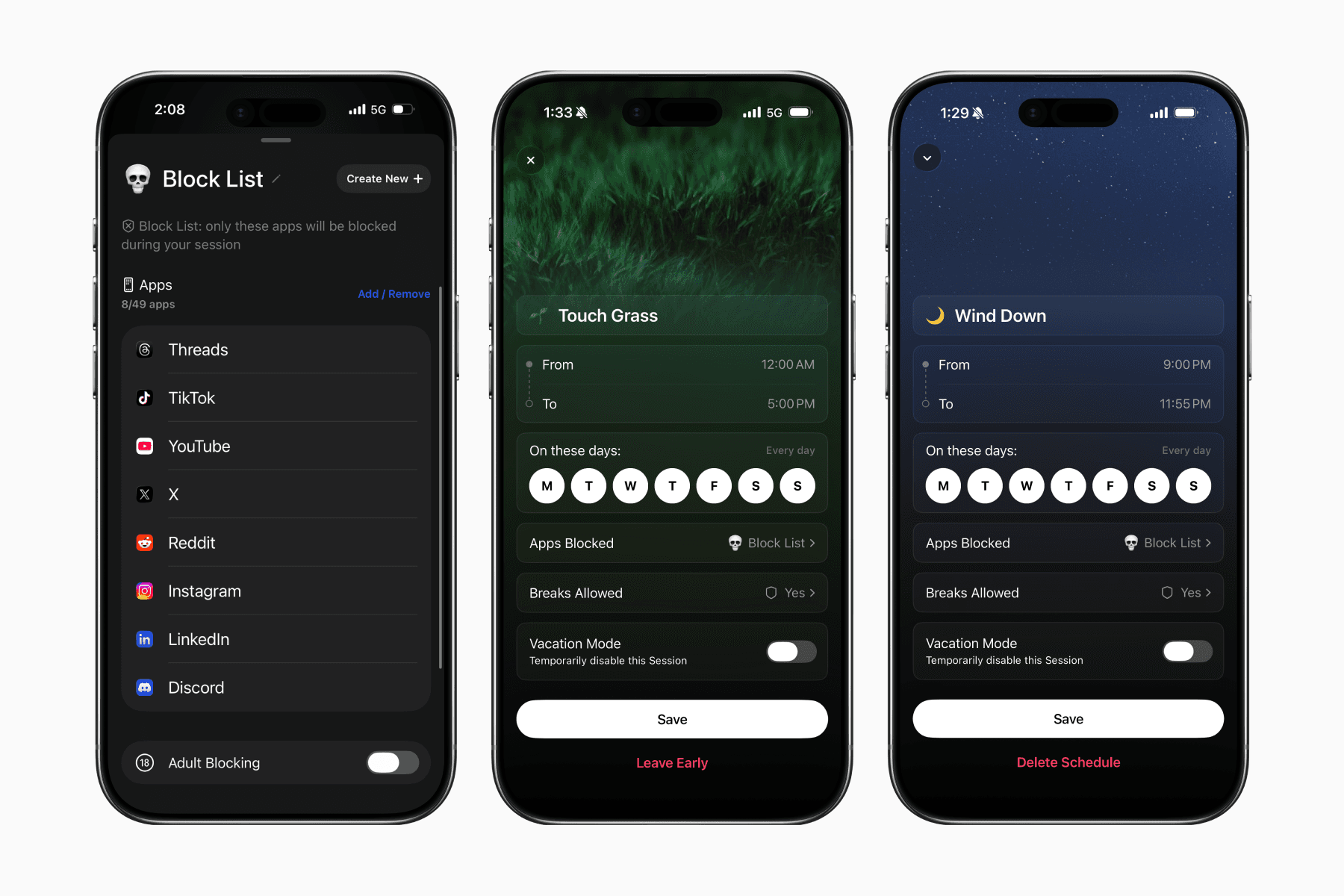
On my phone, I use a third-party app called Opal to schedule the blocking of social media apps.
My first schedule is called Touch Grass, running from 12 AM to 5 PM. The second schedule is Wind Down, which takes place from 9 PM to 11:59 PM.
This allows me to use my social media from 5 to 9 PM, where I can scroll without feeling guilty.
Download Opal for iOS
Download Opal for Android
2. One Sec — Add a Speed Bump
Most of us, including myself, have opened social media so many times that we do it unconsciously whenever we pick up our phones.
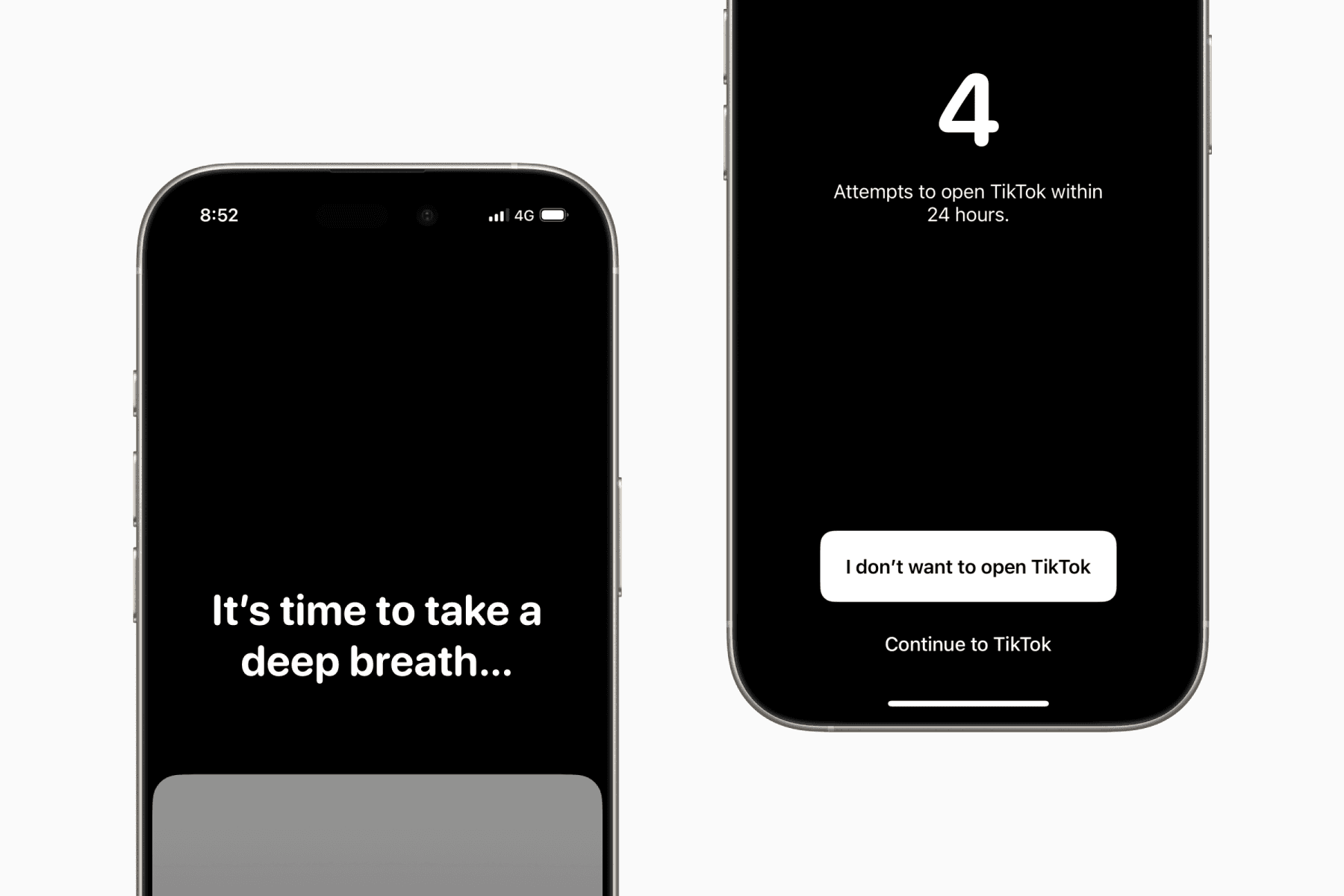
Like a speed bump that encourages people to slow down, you can create a similar effect when opening social media apps.
By using an app called One Sec with Apple Shortcuts, you can be directed to a screen that makes you wait a few seconds before confirming whether you really want to open the app.
Victor E. Frankl said, “Between stimulus and response there is a space. In that space is our power to choose our response. In our response lies our growth and our freedom.”
As our smartphones and internet connections improve and become faster, this “space” is shrinking more than ever.
By adopting the approach mentioned above, we can create more "space" to make decisions that truly align with us.
Download One Sec for iOS
Download One Sec for Android
Download One Sec Browser Extension
3. Menu — Substitute with Healthier Alternatives
A well-known strategy for breaking bad habits is to replace them with healthier ones.
One example is choosing a piece of fruit instead of a cookie when craving a snack.
Therefore, instead of fighting the urge to scroll when bored, we can prepare a list of healthier activities to turn to.
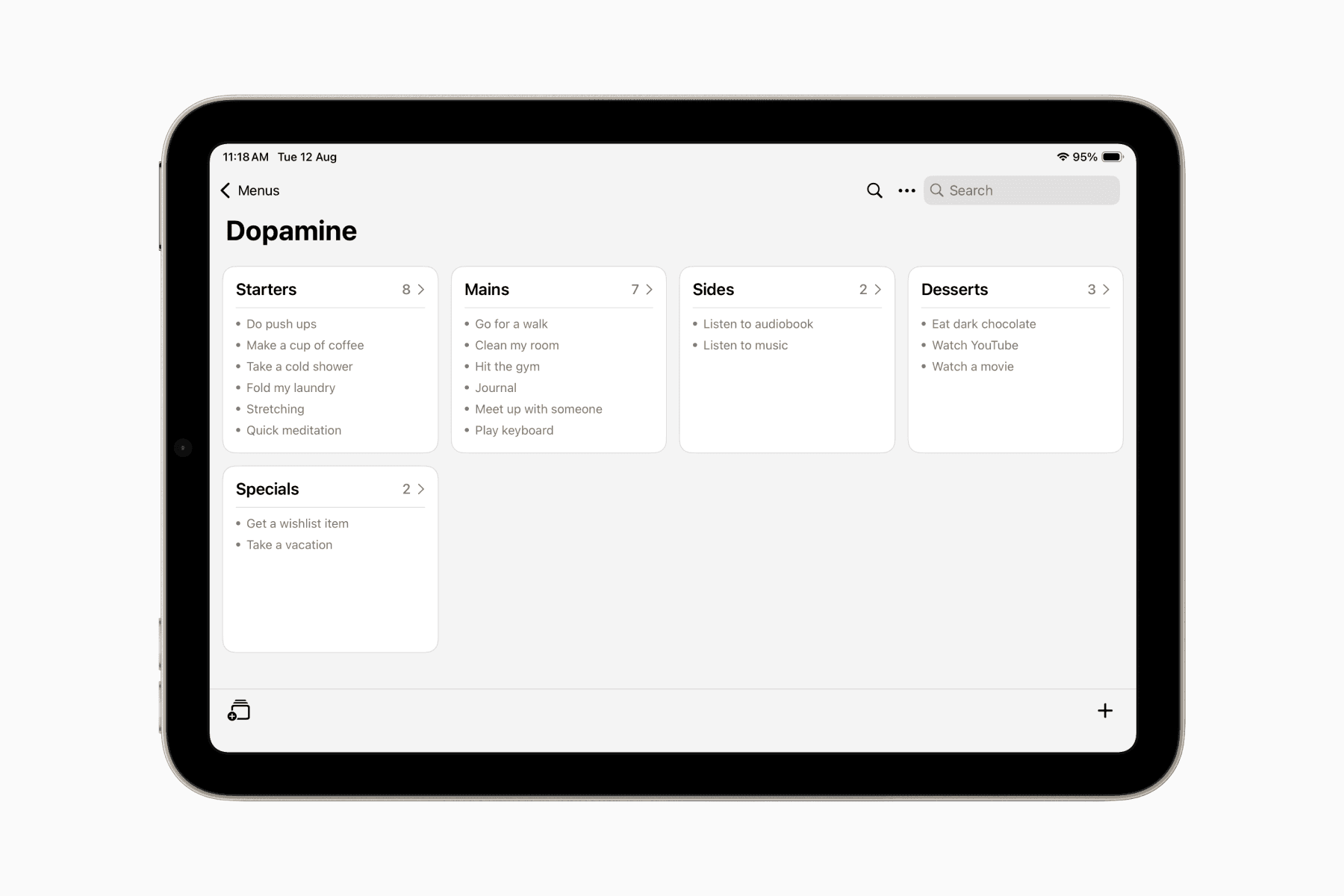
This is where the idea of creating a “Dopamine Menu” comes in.
It’s your personalized list of rewarding activities as healthier alternative to phone scrolling. The concept originated from a YouTube video by the channel How to ADHD.
You can create your own “Dopamine Menu” on paper or in your journal. Personally, I use an app I made called Menu so it’s always accessible whenever I catch myself reaching for my phone out of habit.
4. SelfControl — Do a Social Media Detox
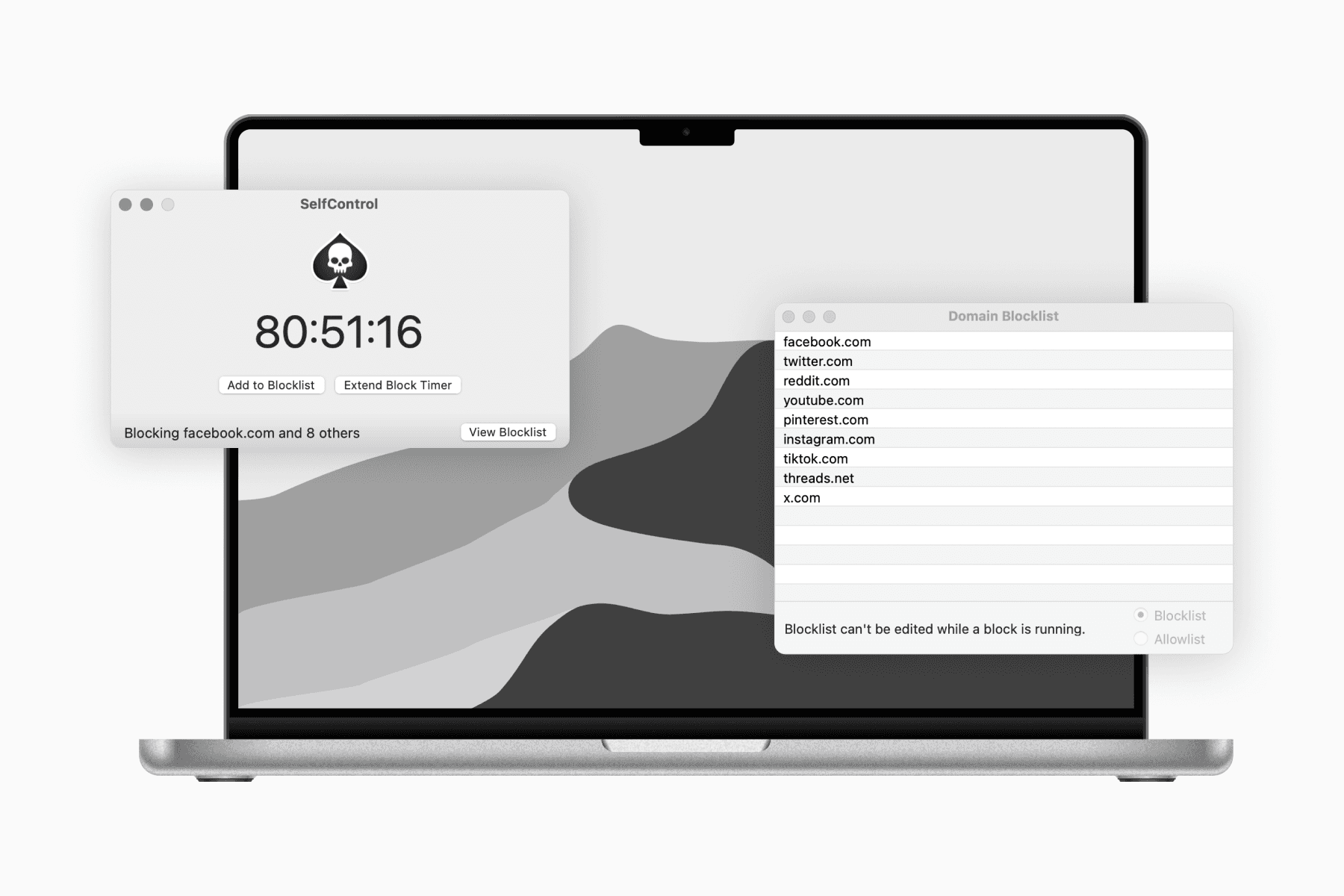
This approach is a subset of what is commonly known as a digital detox.
It involves restricting access to social media for a set period, usually lasting at least 7 to 30 days.
During my social media detox, I use an app called SelfControl to block social media sites on my Mac.
In addition to reducing my social media addiction, I also adopt this approach occasionally to reconnect with myself.
It is easy to lose a sense of who we are when we are constantly online, especially on social media, where we are exposed to trends and others' lifestyles, and are often taught how to live our lives.