How To
Apple
Notion
Add Notion pages to your Home Screen
Open your frequently used Notion pages like apps on your home screen.
Feb 26, 2026
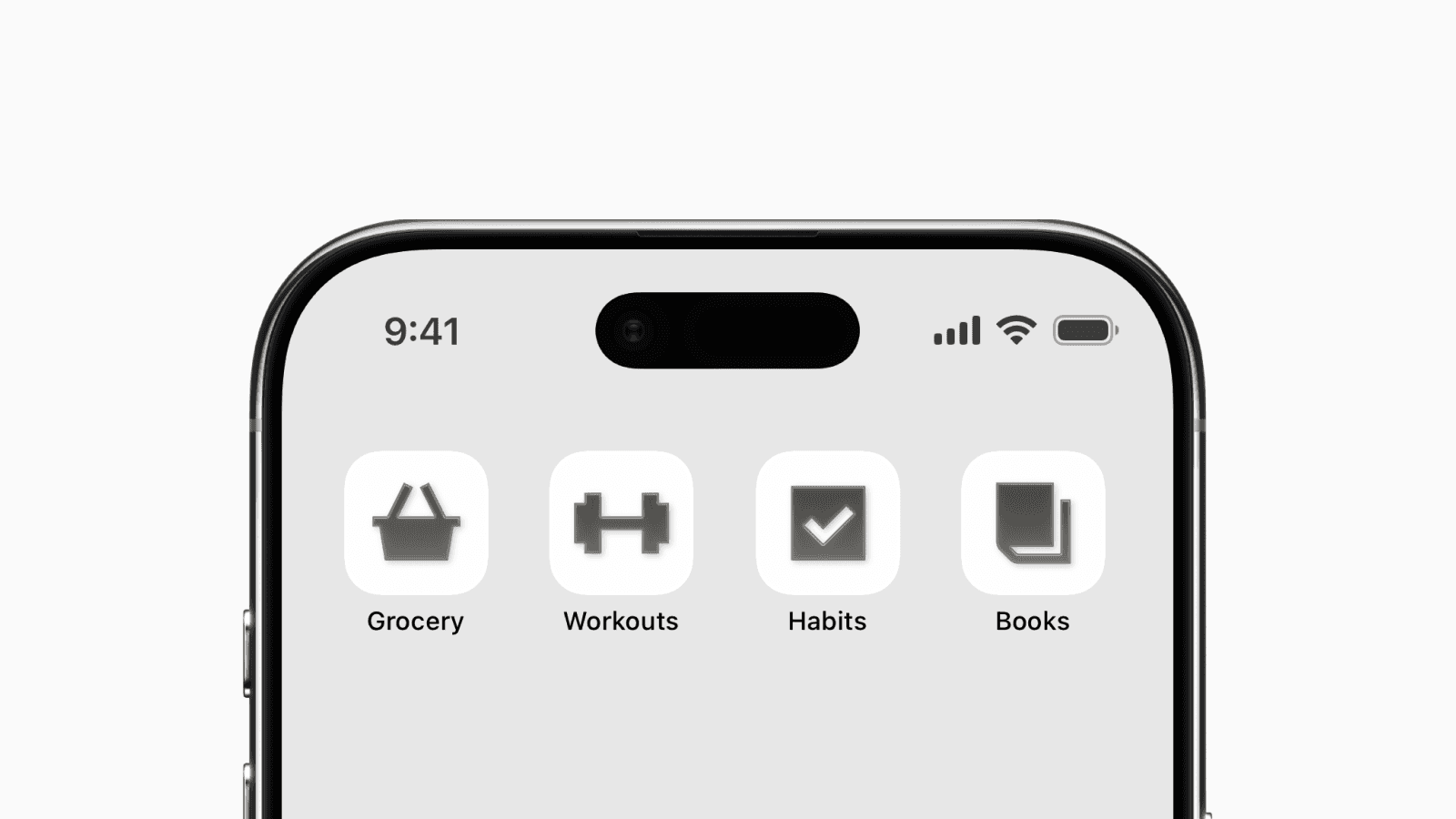
This Notion home screen setup is perfect for quick access to your most-used pages.
It’s a more minimal and compact alternative to widgets, which take up a 2×2 space on your home screen.
With this setup, you can fit 4 app icons that open 4 different Notion pages, all within the same space.
1. Create a shortcut
First, open the Shortcuts app.
Tap the “+” icon in the top right corner to create a new shortcut.
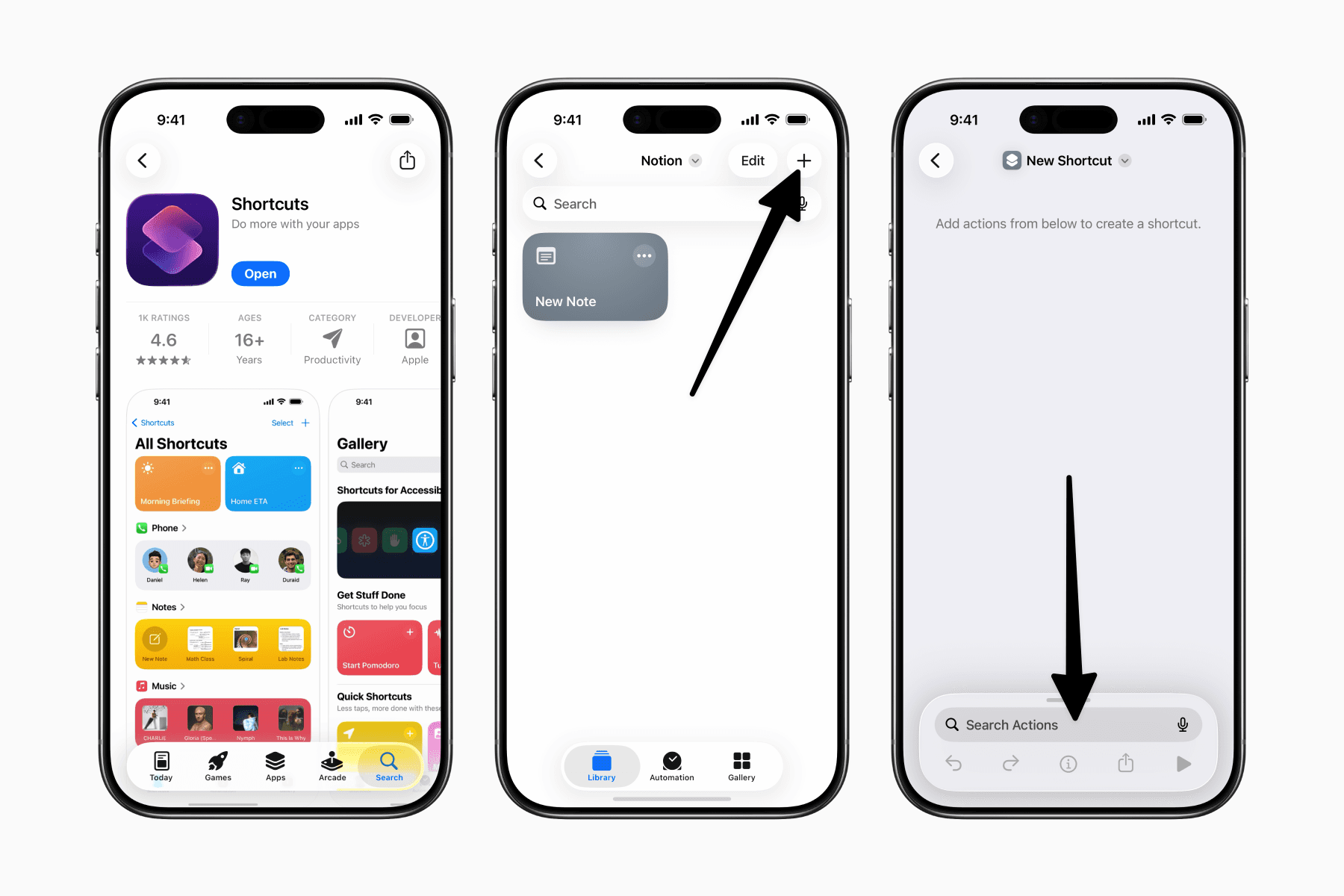
Note: you’ll need one shortcut per Notion page you want as an app icon.
Inside the new empty shortcut, search for Notion and select the “Open Page” action.
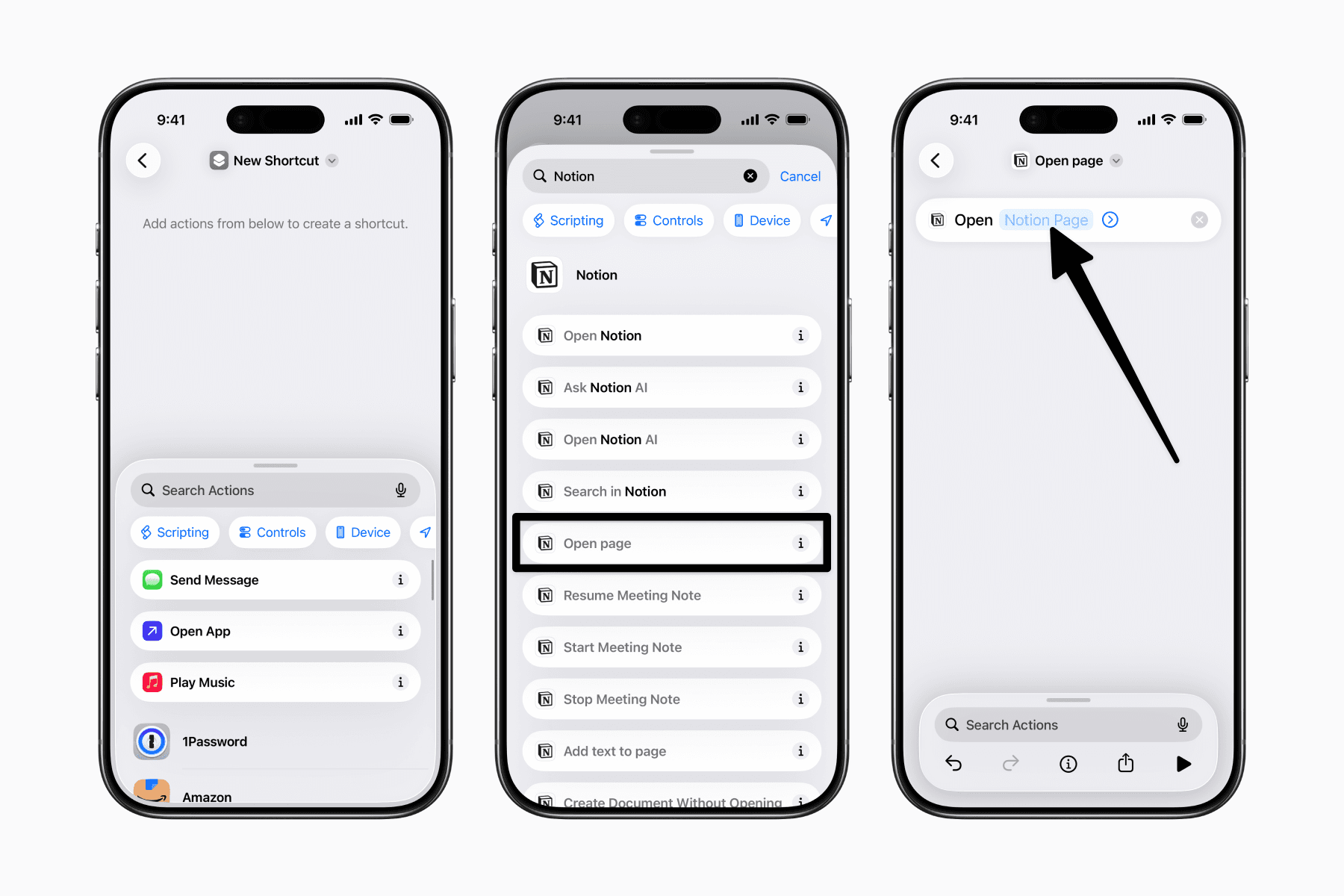
Tap the empty field in the “Open Page” action to browse or search for the Notion page you want to open.
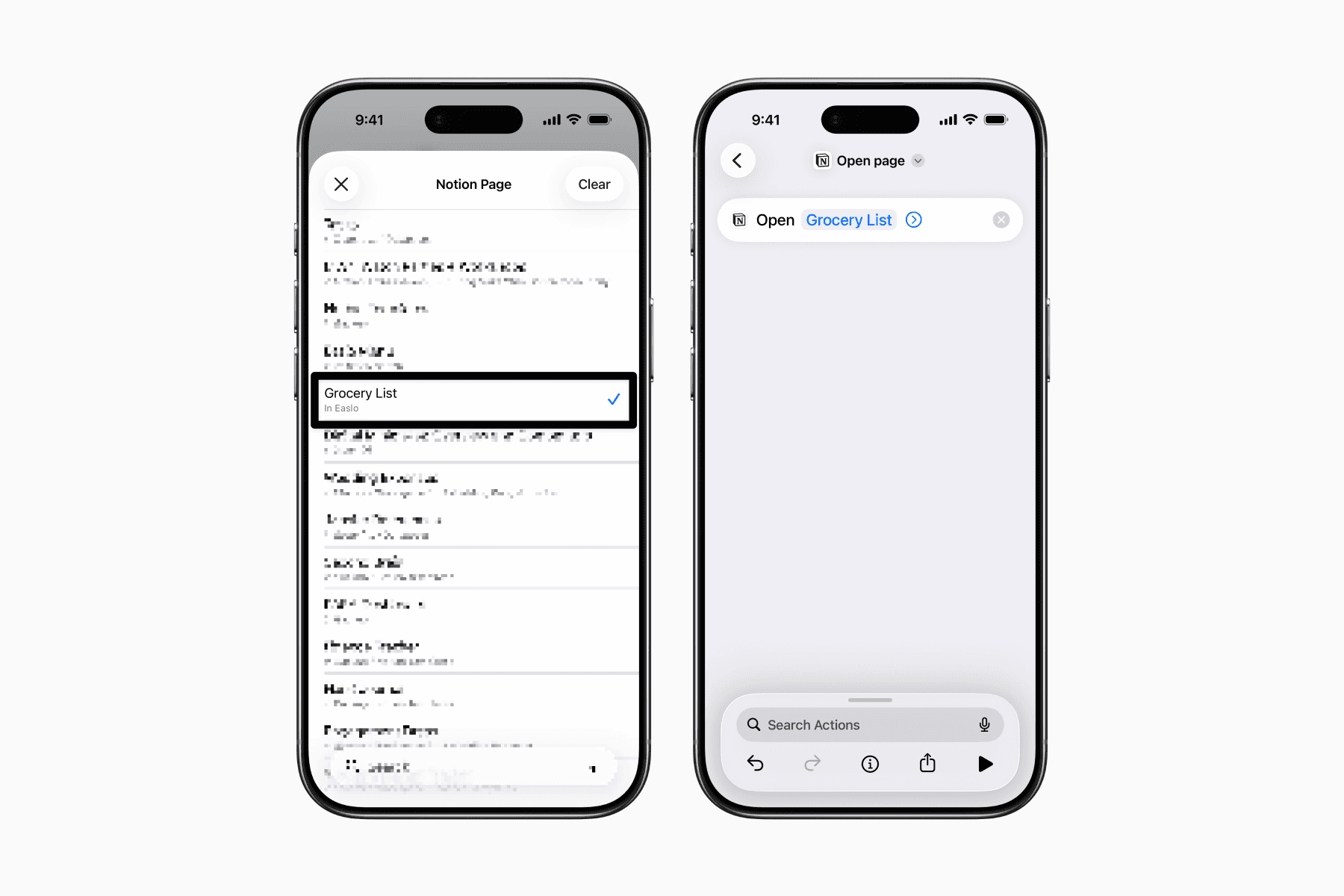
2. Customize the appearance
Next, rename the shortcut to how you want it displayed.
Tap the dropdown arrow beside the shortcut name, then tap “Rename.”
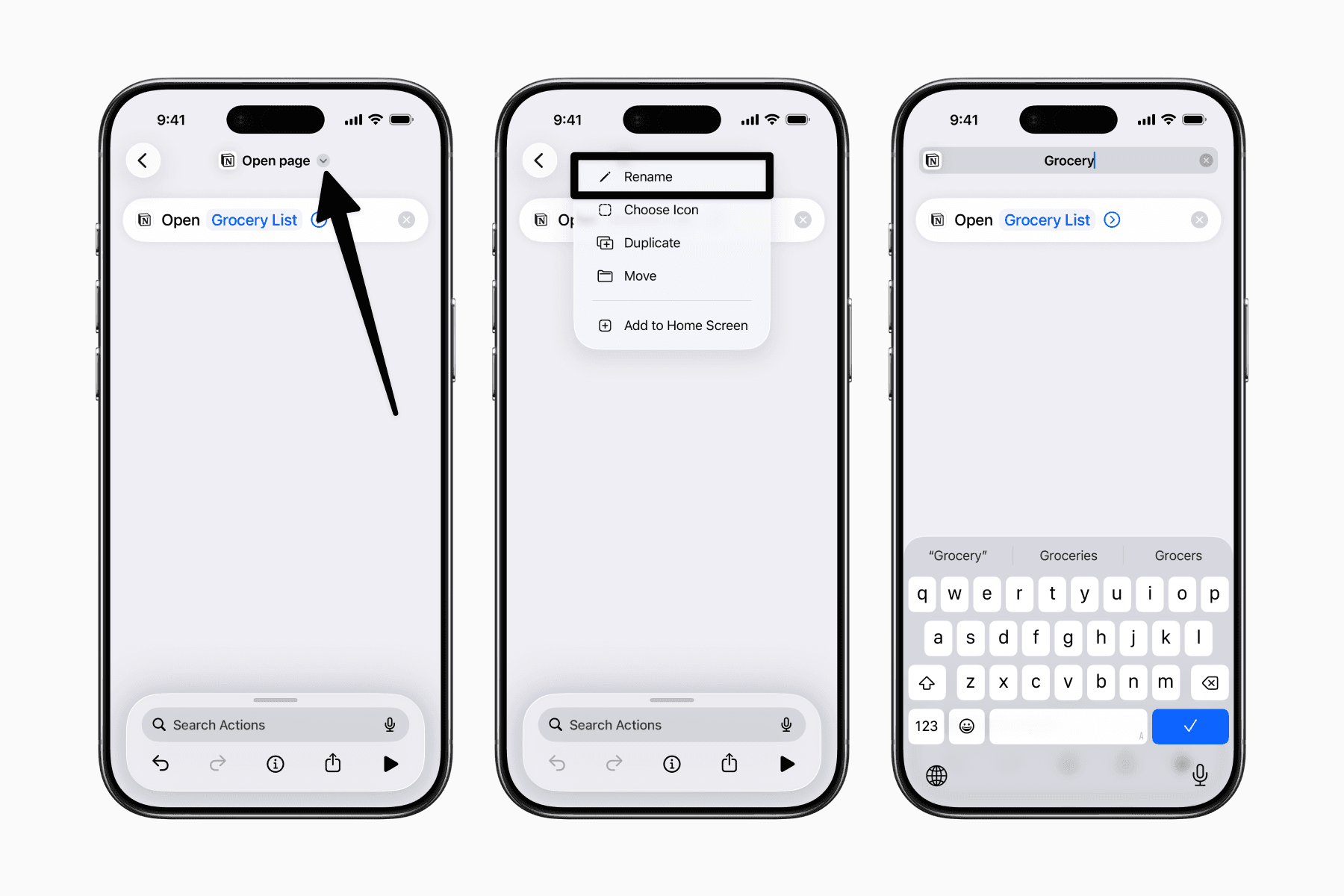
Shortcut names need to be unique. If you already have one with the same name, just use a slightly different (or longer) name for now.
Later, when adding it to your home screen, you’ll be able to edit the actual display name.
To add the shortcut to your home screen, tap the dropdown arrow again and select “Add to Home Screen.”
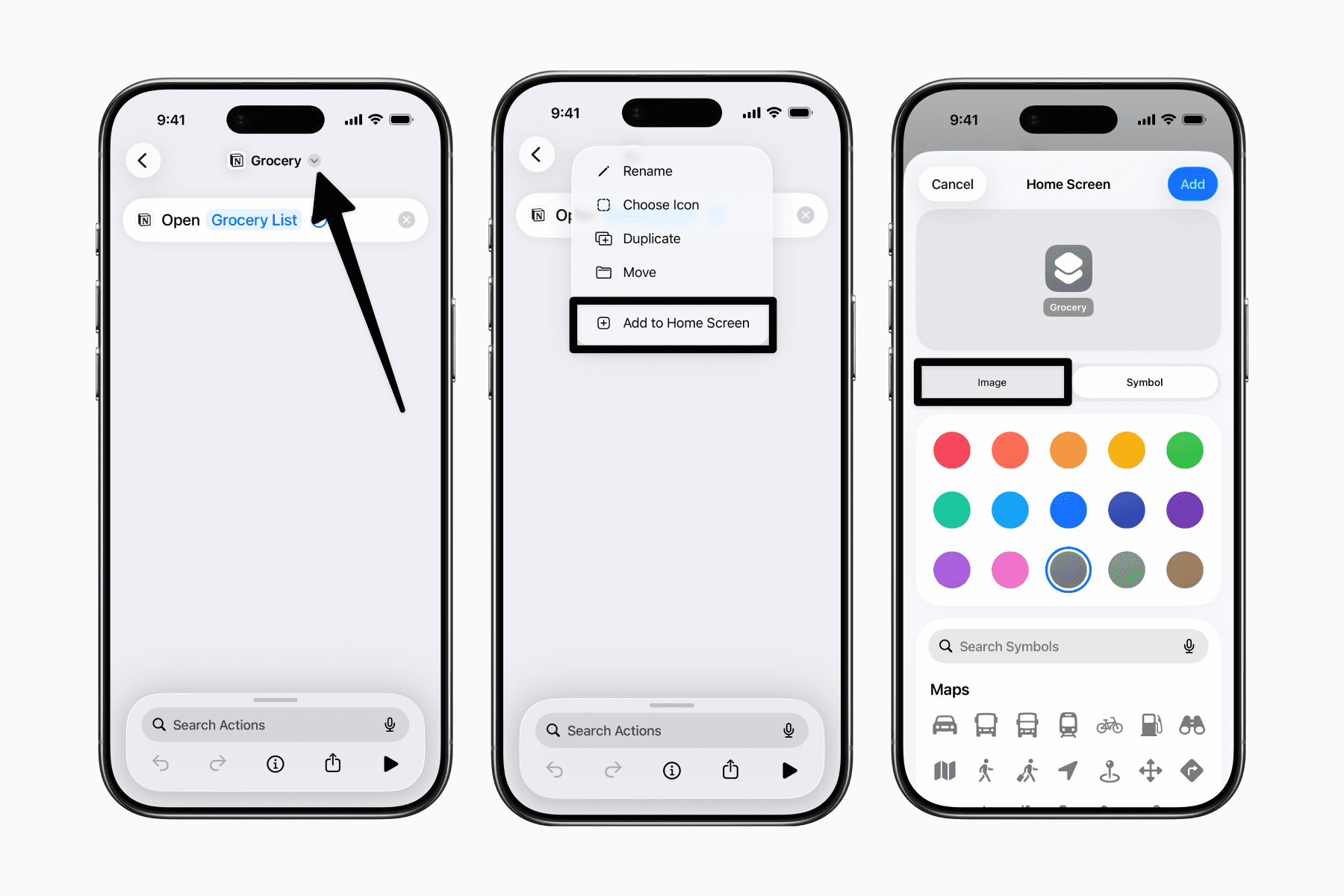
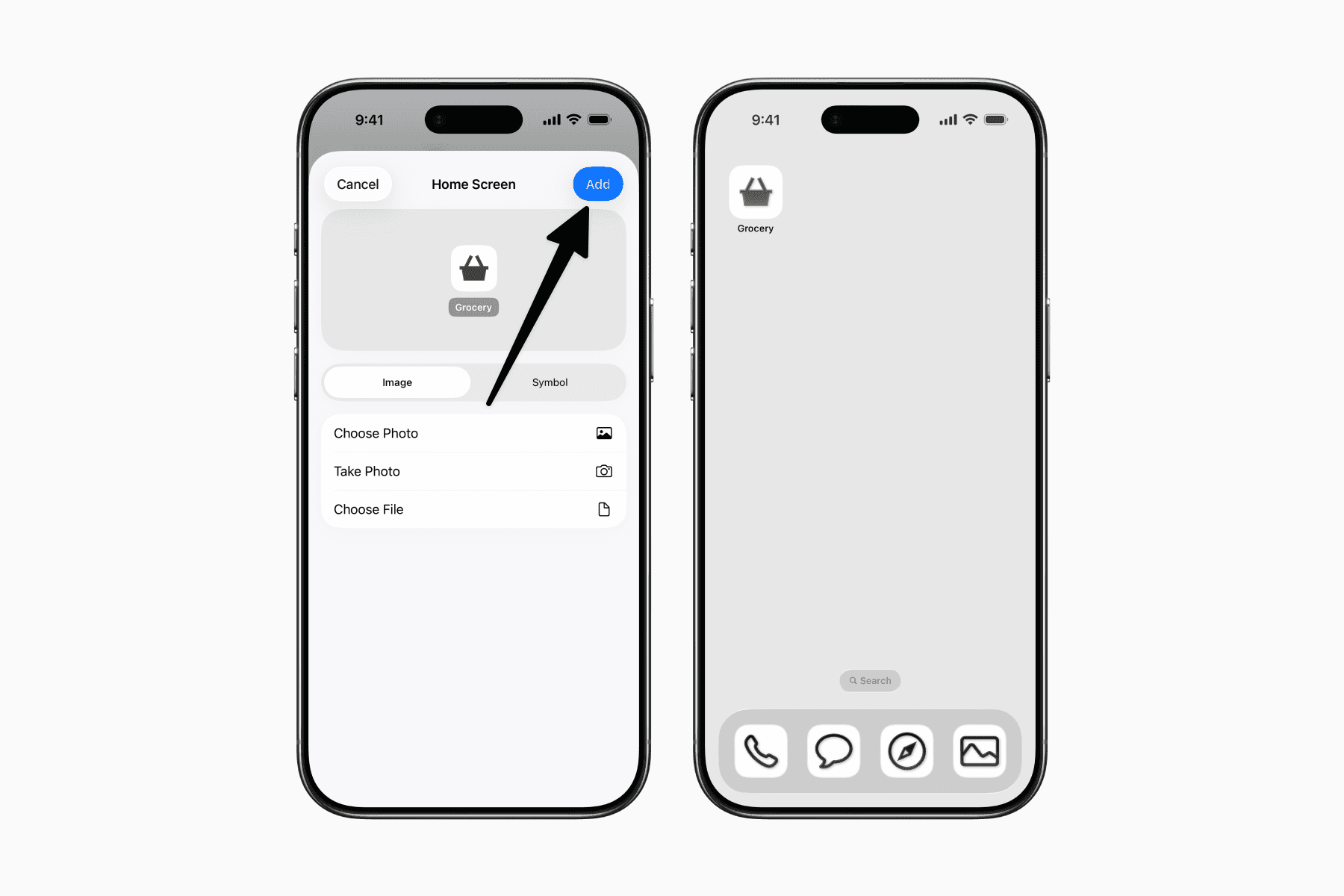
Here, you can choose from the provided icons and colors, or go to the Image tab to upload a custom image as the app icon.
3. Get a Notion-style app icon
In our case, we want something that not only resembles an app icon but is also consistent with our Notion page icons.
Luckily, there’s a tool built specifically for this by Benny Builds It.
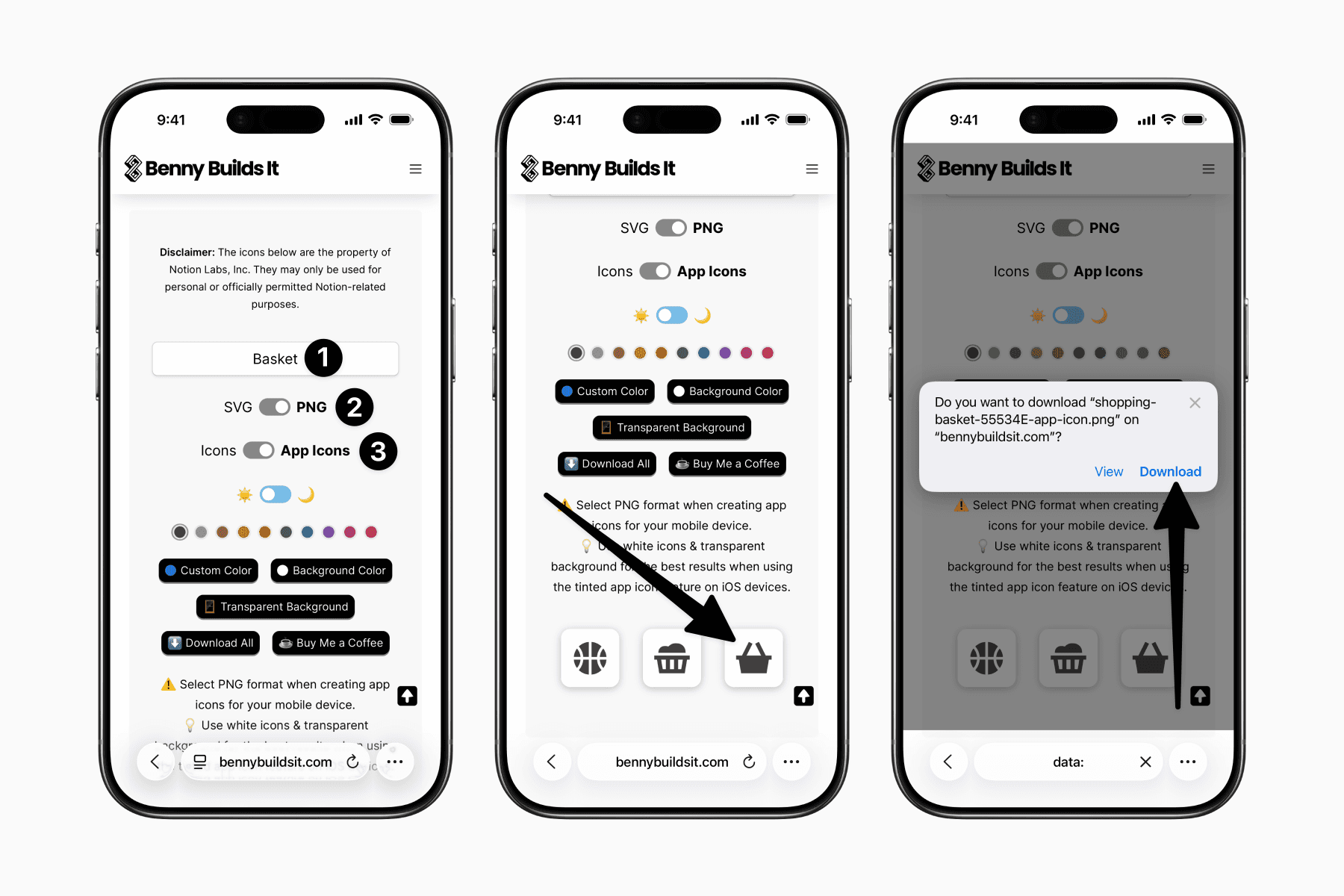
Open your browser and go to Notion Icons Gallery.
Search for the icon you need.
Make sure to toggle to PNG and turn on App Icons.
Then long-press on the icon you want to download.
4. Upload the Notion-style app icon
Head back to the Shortcuts app.
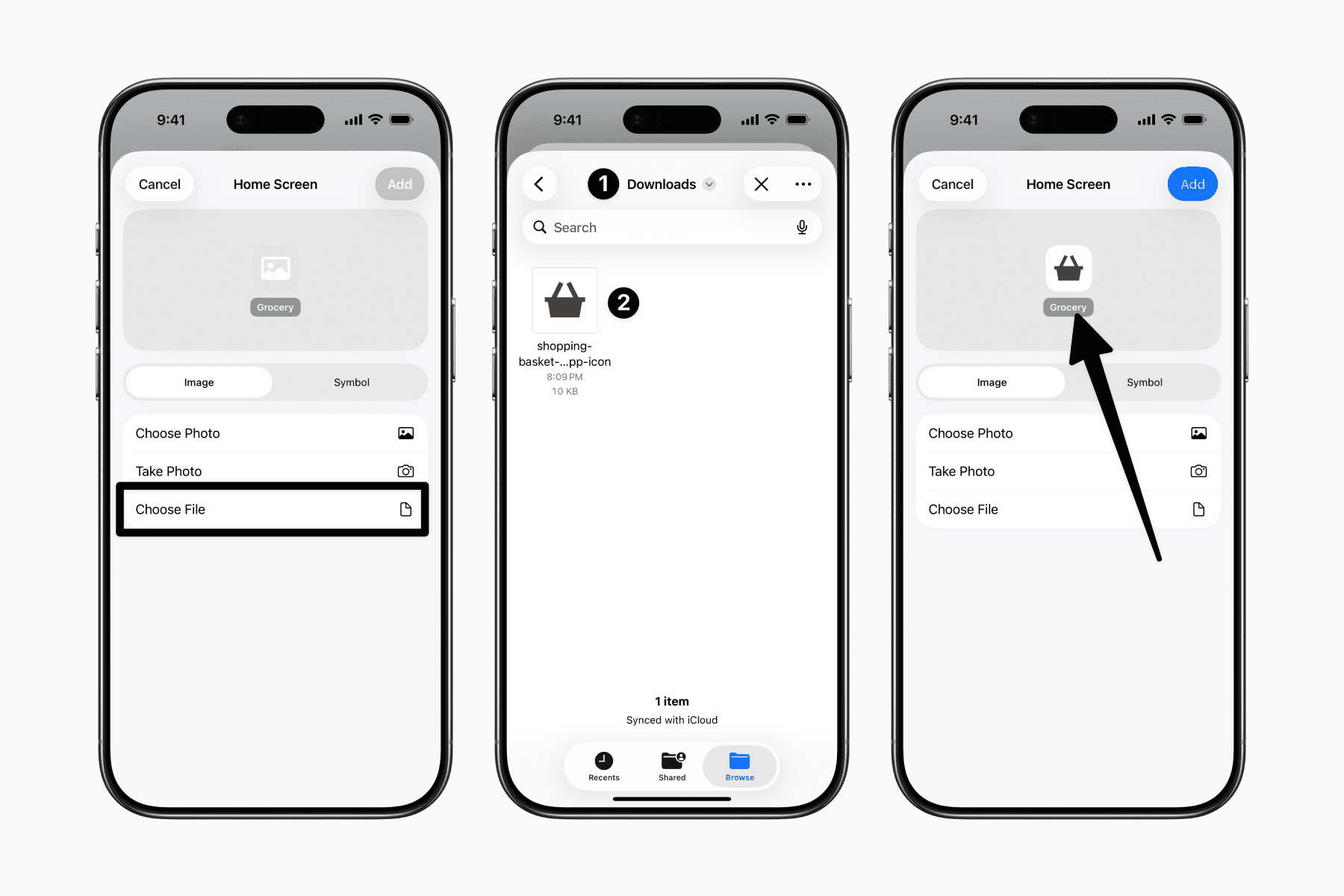
Under the Image tab, tap “Choose File.”
Navigate to the image you previously downloaded, which is likely in your Downloads folder for files downloaded from the browser.
Once selected, you should see a preview inside Shortcuts.
Before adding it to your home screen, you can also edit the display name (this one doesn’t need to be unique) by tapping the text below the preview icon.
5. Add to Home Screen
Tap Add, and the shortcut will appear on your home screen.
Now simply repeat the process for the other Notion pages you want quick access to.